Requires Manager or Guild Administrator permissions
Overview
Overseer offers an optional reporting system which can be used by members through:- Privately messaging Overseer
/reportor-report
1
Report filled out
Server member completes a report against another user.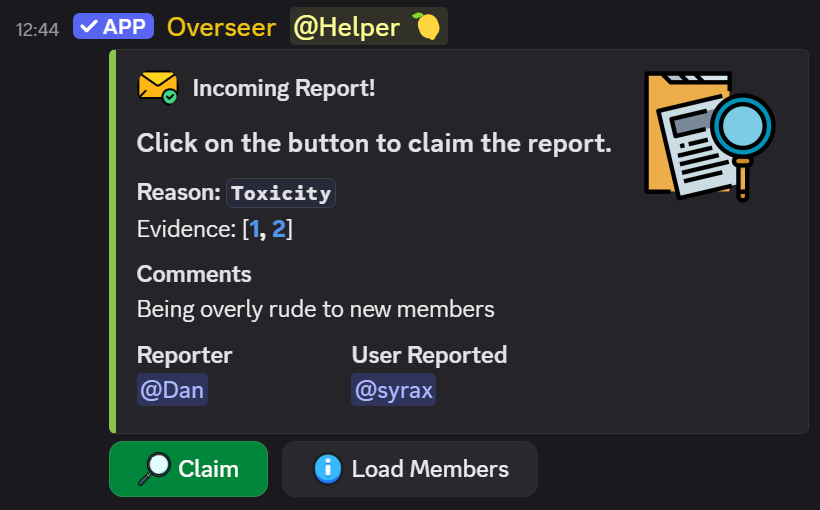
2
Moderator claims report
Upon claiming, a moderator can begin investigating and reviewing any evidence.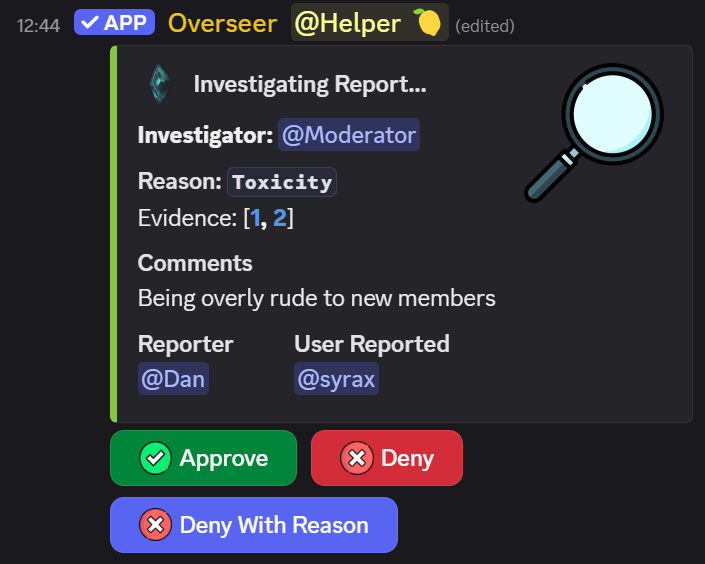
3
Report resolution
Reporter is notified about the outcome of the report.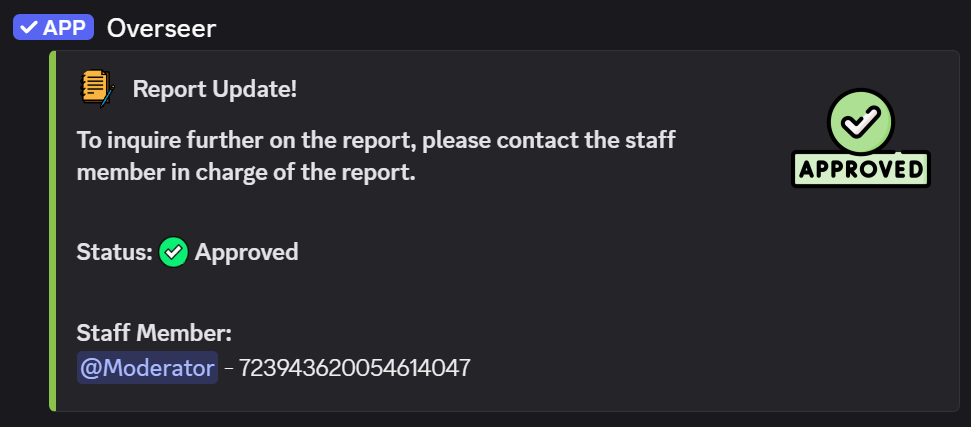
Configuration
Reports can be set up via the dashboard. There are 3 things to consider when doing this: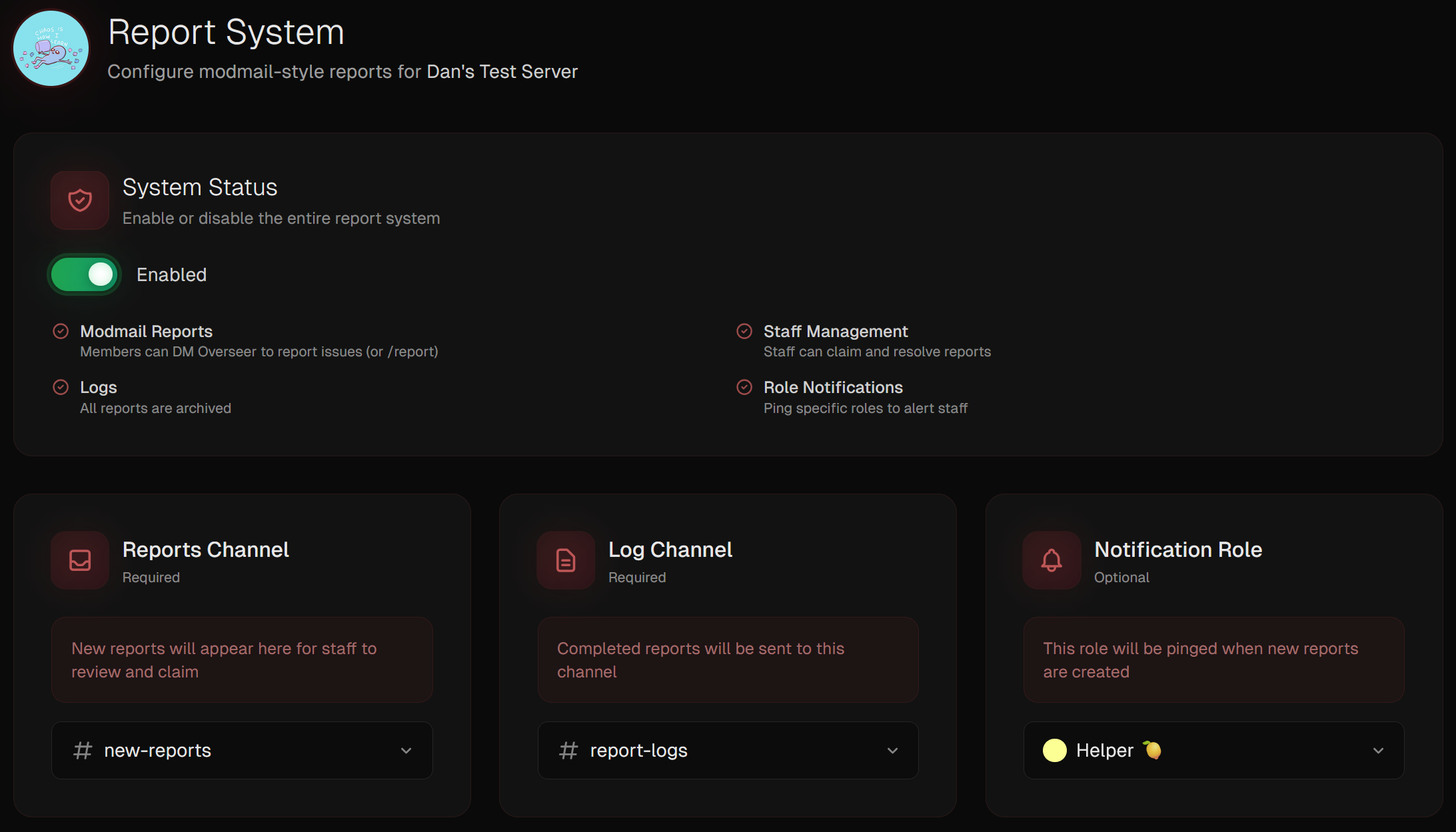
[Required]Reports Channel- This is where new reports get sent. It should ideally be staff-only.
[Required]Reports Log Channel- Resolved reports will be sent here to maintain a track record of past reports alongside.
[Optional]Role Ping- An optional staff role to ping when reports are created.